How to make October War videos for free? Here is the easiest way to create 73 videos
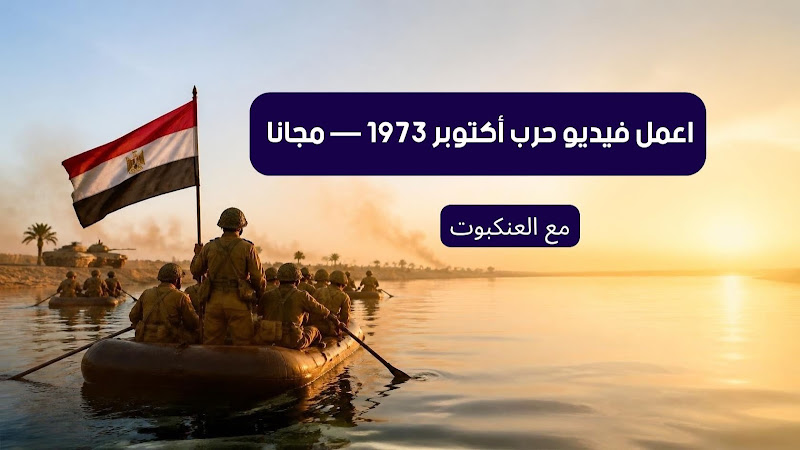
If you open Facebook, TikTok, or YouTube these days, you have surely come across videos and images about the October War that look so cinematic they make you ask yourself: Are these real shots or a new movie? Soldiers crossing the canal, tanks moving in the desert with dust behind them, and planes in the sky as if a great director filmed them.
In the comments, the question is repeated: How do they do it? Can I do the same without paying? How do I turn an old photo into a video? Others are asking about videos specifically about Sinai, some are asking about compositing Sadat's image into a scene, and some want to know how to start making an army video from scratch.
The truth is that creating an October War video has become much easier than before. No studio, no cameras, no editing team. What you need is a clear idea, a few tools from AI war video programs, and some patience. In this article, we will go step-by-step, from the first idea until the video is ready for publishing.
How do Egyptians make October videos for free?
The first thing you need to know is that most of the videos you see are not the result of a single button click. The creator works in stages: they start with the scene idea, then generate an image, then animate this image into a short clip, and finally add sound and music and combine all the clips in one edit.
Many of them try the same shot five or six times before choosing the best result. In other words, what you see on the screen is the final version after many attempts, not the first thing that came out. This applies to videos about Sinai just as it applies to any other scene.
Also, not every content creator uses one tool. Sometimes the image is made in one tool, the animation in another, and the sound in a third app. So, if you started with one tool and felt the result is not like what you saw, this is very normal.
The basic idea in AI war video programs
The mistake that most beginners fall into is trying to get a long video from the first try. AI war video programs work much better with short clips, three to five seconds per shot. So instead of thinking about a two-minute video, think about ten small shots and then combine them.
This method gives you greater control. If one shot turns out bad, you redo only that one, and the rest of the video stays as it is. If you worked on a long video at once, any mistake would force you to start from the beginning.
The script before any videos about Sinai
The script here does not have to be complex. A piece of paper with the order of the shots is enough. For example, a short video about October could be divided like this:
- Egyptian soldiers before the crossing, focused faces and a calm atmosphere before the storm.
- The moment of crossing the Suez Canal.
- Tanks and equipment moving in the Sinai desert.
- Planes in the sky.
- The forces after the crossing and raising the flag in Sinai.
- A closing shot with the date of October 6, 1973.
When you write this order before opening any tool, you will save a lot of time. Because you will know exactly what each shot needs. And videos about Sinai, in particular, need attention to the location: the sand, the mountains, and the sea have a specific look, and if you describe them correctly, it will make a difference in the result.
The scene image: The first step in creating an army video
Before animating, you need an image to start with. There are many tools that convert written descriptions into images, and the most famous are two.
Midjourney for army and crossing images
Midjourney is known for images that have a cinematic feel. It is very suitable if you are preparing an army video, because the lighting and colors in it often turn out close to movie shots, whether soldiers in the field or the moment of crossing.
But be careful: the image generated by AI is not a real historical image. It is an imagination of the scene based on the description you wrote, and you might find wrong details in the uniform or equipment.
Microsoft Designer for videos about Sinai
If you want something simpler, try Microsoft Designer. You write the scene description and get a result, and you can edit the description and try again until you get an image suitable for animation, even if it were a distant shot of Sinai without any soldiers.
And the description is the secret of the game. If you write only two words, you will get a general image that is not like what is in your head. But if you mention the location, clothing, lighting, and camera angle, the tool will understand more and get closer to the scene you want.
Animating the image in AI war video programs
After the image is ready, comes the stage that turns the static image into a clip that actually moves. There are several tools that do this, and all of them are considered well-known AI war video programs.
Luma Dream Machine for animating Sinai scenes
Luma Dream Machine takes the image and gives you a short clip. If you have a picture of Egyptian soldiers in Sinai, the camera could move slowly into the scene or the dust could move in the background, instead of the image remaining static.
Runway for creating an army video
Runway is one of the known tools for video generation, image animation, and adding effects. If your work is to create an army video, it is better to generate several short shots from it, then choose the best of them and put them into the editing program.
Kling AI for war videos
Kling AI is another tool that generates video from text or an image, and it is useful when you animate a static scene and give it life.
Google Veo and October scenes
There is also Google's technology for video generation. You can get to know the Veo project from the Google DeepMind Veo page.
A practical tip: Do not judge the tool from the first shot. Try the same image in more than one program, because each one deals with movement in its own way, and sometimes the tool whose result is bad in one scene will amaze you in another.
Compositing image on image for Sinai scenes
Yes, you can composite an image on an image, and this actually happens in many of the widespread scenes. For example, prepare a background of the Suez Canal or the mountains of Sinai, and add a group of soldiers on it, then adjust the image so the elements appear consistent, and feed the final result to the animation tool.
But the subject needs precision. If the lighting is different between the background and the soldiers, or if the sizes are not proportional, or if the shooting angle is not the same, the eye will catch the mistake at first glance and the image will look fake. So choose elements close to each other in lighting and angle, and make the size logical relative to the place.
Sadat image composition and face swapping: Tools and limits
There is another type of video that depends on compositing a face inside an image or video, and this is called Face Swap. And many people are looking for compositing Sadat's image in one of the scenes, and that is why we must talk about the tools and the limits honestly.
Remaker AI for compositing Sadat's image
Remaker AI is an online tool used for swapping faces inside images and videos, including those used to try compositing Sadat's image or any other face.
FaceFusion on the computer
FaceFusion is a project that runs on the computer and is specialized in processing faces and compositing them into visual content.
But you must deal with this technology with caution, especially if you are going to use the face of a real person. A famous person's face or a historical figure is not something to play with without thinking. And if the scene is a reenactment, clarify this to the viewer clearly instead of them thinking it is an original recording.
Sadat and AI videos: Important limits
One of the most recurring things in this content is the appearance of President Sadat, whether in generated images or clips that try to re-present him. And here the subject is more sensitive than anything else, because we are talking about a real historical figure and decisions that shaped major events.
If you are going to composite Sadat's image in a video, there are simple rules that protect you and protect the viewer. Do not let the AI say words on his behalf and present it as words he actually said. And do not composite his face in a scene that did not happen and show it as if it is true. If you want to make an imaginary scene, write that explicitly.
And there is another point: if you quote from a speech by Sadat, go back to the original recording or a reliable source. Many versions of speeches are circulated on social media with changes in the words, and AI can make matters worse if you ask it for a literal text, because it sometimes invents a sentence that sounds logical but was never said at all.
Enhancing old October footage with AI
There is a big difference between making a totally new video and enhancing an old archival shot. The original shots in many cases are of poor quality, due to the age of the recording and the shooting conditions at the time, and this appears in the old army and Sinai shots in particular.
Topaz Video AI for old army shots
Topaz Video AI is used to increase video resolution, reduce noise, and improve movement in old shots.
But remember something important: improving the quality does not mean restoring the original details. The tool guesses and builds details in place of what is not clear, so part of what you see after processing is estimated and not present in the original recording. So if the video is to be published as a document, it is better to warn that it is processed.
Creating an October War video for free step-by-step
If you want to try without paying in the beginning, most of the tools we mentioned provide a free plan or a trial credit. But be aware that the free limits and terms of use vary from one tool to another and change with time, so check the website itself before you start.
And this is a simple order for any beginner to follow in creating an October War video:
- Write a short idea for the video in two or three sentences.
- Divide it into four or five scenes.
- Create an image for each scene.
- Animate each image with an animation tool.
- Download the clips to your mobile or computer.
- Combine them in a simple editing program.
- Add music and sound effects that fit the atmosphere.
- Write clearly that the scenes are an AI re-imagining.
- Export the video in a format suitable for posting on social media.
This method is much better than trying to get a long video from the first time. You will learn AI war video programs on small shots, and when you master them, you will make the project bigger.
Ready-made prompts for videos about Sinai and the army (Prompts)
The quality of the result depends to a large degree on the description. Instead of writing "Egyptian soldier in the war", write a more accurate description that defines the location, atmosphere, and camera angle. These are examples you can edit.
Prompt for a canal crossing scene
A historical cinematic scene inspired by the 1973 October War, Egyptian soldiers crossing the Suez Canal in battle atmosphere, military equipment in the background, light smoke in the sky, natural morning lighting, realistic cinematic photography, slow camera movement, historical details appropriate for the era, without texts or logos.
Prompt for an army soldiers scene
A group of Egyptian soldiers in a scene inspired by the 1973 October War, clothing and military equipment appropriate for the period, realistic field atmosphere, sunlight, light dust, wide cinematic shot, natural movement of the characters, historical film style.
Prompt for a tank scene in Sinai
Tanks moving in a desert area in Sinai within a scene inspired by the 1973 October War, soldiers in the background, dust flying with the movement of the equipment, wide cinematic photography, natural lighting, realistic camera movement, war scene without exaggeration.
Notice that these prompts ask for "without texts or logos". This is intentional, because the tools ruin writing on uniforms and equipment and come out with strange letters that expose that the image is generated. And you can change the prompts according to the scene, whether you want a static image or a video.
How do you make AI war videos look natural?
The biggest mistake in these videos is cramming everything into one scene: dozens of soldiers, planes, tanks, and explosions, and the camera is moving at the same time. The result is chaos and full of mistakes. The better [way is] short shots, and each shot has one clear movement.
Focus also on the hands, faces, and bodies, because they are the first thing that reveals that the scene is generated. If you find extra fingers or a face that changes in the middle of the movement, redo the shot.
And keep the camera movement simple and slow. Fast movements increase clear mistakes, and calm movement gives a more cinematic feeling and hides many flaws.
Sound and music in creating an army video
Sound makes a difference in the feeling more than you imagine. The same clips with enthusiastic music give one feeling, and with calm sad music give a completely different feeling. So choose the music that fits the message, especially if you are working on creating an army video for a national occasion.
If you are going to add voiceover, write it yourself or review it well, and keep it short and direct. And sound effects like dust, footsteps, and distant engines make the scene closer to reality. But do not exaggerate, so that the sound does not drown out the image.
And pay attention to music copyrights. Not every song or piece of music can you post on a published video, and some platforms delete the video or stop monetization from it if you used protected music.
How do you know if an October video is real or AI?
There is no single sign that always settles the matter, but there are things that attract attention:
- Hands and fingers with strange movement.
- Facial features changing during movement.
- Details disappearing or changing from one shot to another.
- Distorted and incomprehensible writings or logos.
- Equipment moving in an illogical way.
- Details not appropriate for the historical period.
- No clear source for the video.
And if the video presents itself as a historical document, look for its original source before you believe it or share it. And this concerns videos about Sinai and compositing Sadat's image in particular, because both are easily faked.
Are all the widespread October videos made with AI?
No. There are real archival recordings, and there are old recordings that have been processed to improve their quality, and there are videos that have been made all or partly with AI. And sometimes a single video combines all these types: a real shot, and then a generated scene, and then a single edit connecting them.
That is why do not consider any realistic scene on the screen a real historical recording. The realistic look is not proof of authenticity.
Re-imagining and documentation in Sinai and army videos
AI videos can be a great way to bring history closer to the new generation, especially in scenes that have no filmed recordings. It can make a fifteen-year-old see the crossing and the liberation of Sinai in a way that grabs their attention, and this is useful.
But there must be a clear difference between re-imagining and documentation. A generated image is not a historical document just because it looks real. So if the scene is from your imagination, write a simple sentence like "AI-imagined scene" and be done with it.
ChatGPT and AI war video programs
Chat tools can help you in the planning stage, such as writing the script, dividing the scenes, and drafting image and video descriptions. You can give it your idea and ask it to arrange the shots or suggest more accurate descriptions.
And there are explanations about the subject on Al-Ankabut for Information regarding ChatGPT and AI that might help you in understanding practical uses.
But do not rely on what it writes blindly, especially in dates, people's names, and historical information. Always check it from a reliable source, because the tool might say a piece of wrong information with complete confidence.
Common mistakes in compositing Sadat's image and making the video
There are mistakes that repeat with most people, and avoiding them will save you hours:
- Writing a very short description and then being surprised by the general result.
- Attempting to make a crowded scene with many details in one shot.
- Ignoring historical details like the shape of the uniform and equipment in that period.
- Publishing generated scenes without any clarification.
- Using copyrighted music without a permit.
- Compositing Sadat's image in a way that leads the viewer to think it is a real shot.
- Rushing in editing and leaving shots with clear mistakes.
And the biggest mistake that tires the viewer: a beautiful scene at the beginning and then a blatant mistake appearing in the middle of the shot. Review every clip well before you put it in the final video.
Tips before publishing an October video
- Check the historical information in the video.
- Do not present generated scenes as real recordings.
- If you used archival shots, check the rights to use them.
- Clarify if the scene is a re-imagining.
- Do not use a real person's face in a way that makes the viewer think they actually appeared in the scene.
- Keep the video short and divided into clear scenes.
- Choose sound and music that are appropriate for the nature of the topic.
Conclusion: Creating an October War video with AI
In the end, creating an October War video for free consists of successive steps: an idea, then an image, then composition if the scene needs it, then animation, and finally sound and editing. And with the same steps, you can make videos about Sinai or create an army video with any of the AI war video programs, and anyone with a mobile or computer can try with free or trial tools before they think about paying for professional programs.
But the best video is not just the most realistic one. The best video is the one that clarifies to the viewer what is real and what is made with AI, especially if it involves compositing Sadat's image or any historical figure, and when the topic is a major event like the 1973 October War that is still engraved in the memory of the Egyptians.
And if you are looking for more technical explanations, tools, and apps, visit Al-Ankabut for Information and follow what is new in technology and AI.