Download Python for Free for PC and Mobile | Installing Python on Windows, Android, and iPhone
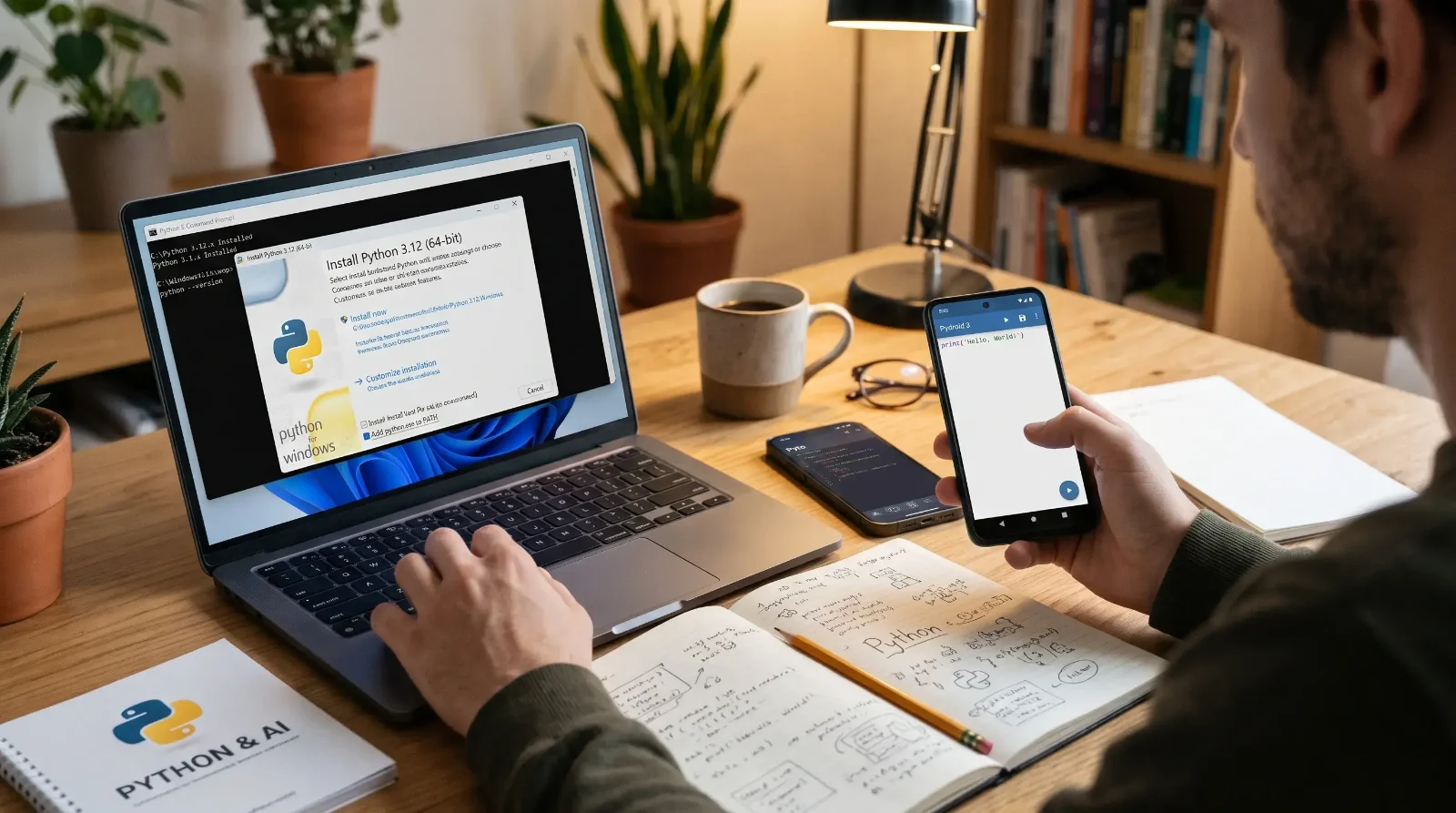
Downloading and installing Python is the foundation for anyone who wants to enter the world of programming today; it is a language with simple syntax but immense power, making it the first choice for application development and data analysis. Its status is growing with rapid technological development, and the importance of Python in Artificial Intelligence is evident as an indispensable pillar for building and training intelligent models and machine learning algorithms.
Whether you use a Windows computer or prefer to experiment with and write code on your Android or iPhone smartphone, you will find a practical and detailed explanation in this guide for all steps regarding downloading, installing, and configuring settings to successfully write your first program. After setting up the environment, you can move on to following the best free Python learning resources and channels from scratch to master the language and gain practical application.
1. Downloading Python for PC for Free
Getting Python for your computer is completely free via the official website, but you must consider version compatibility with your device to ensure a stable experience free from compatibility errors.
Choosing the Right Version
- Windows 10 and Windows 11: These support the latest official and stable versions of Python (such as Python 3.11 and above) with a 64-bit kernel; these are the versions that ensure you get the latest security features and software libraries.
- Regarding Python on Windows 7 and Windows 8: Modern versions of Python are not officially supported on older Windows systems; therefore, if you are working on Windows 7, you should download Python 3.8.10 at the latest so that it works for you without issues.
Downloading the Program from the Official Website
To avoid downloading modified or insecure versions, always ensure you download directly from the accredited Python Software Foundation platform.
Regarding Python, the download link for PC: You can download the installation file directly from the official Python download page for computers (python.org) with one click.
2. Guide to Installing Python on Windows
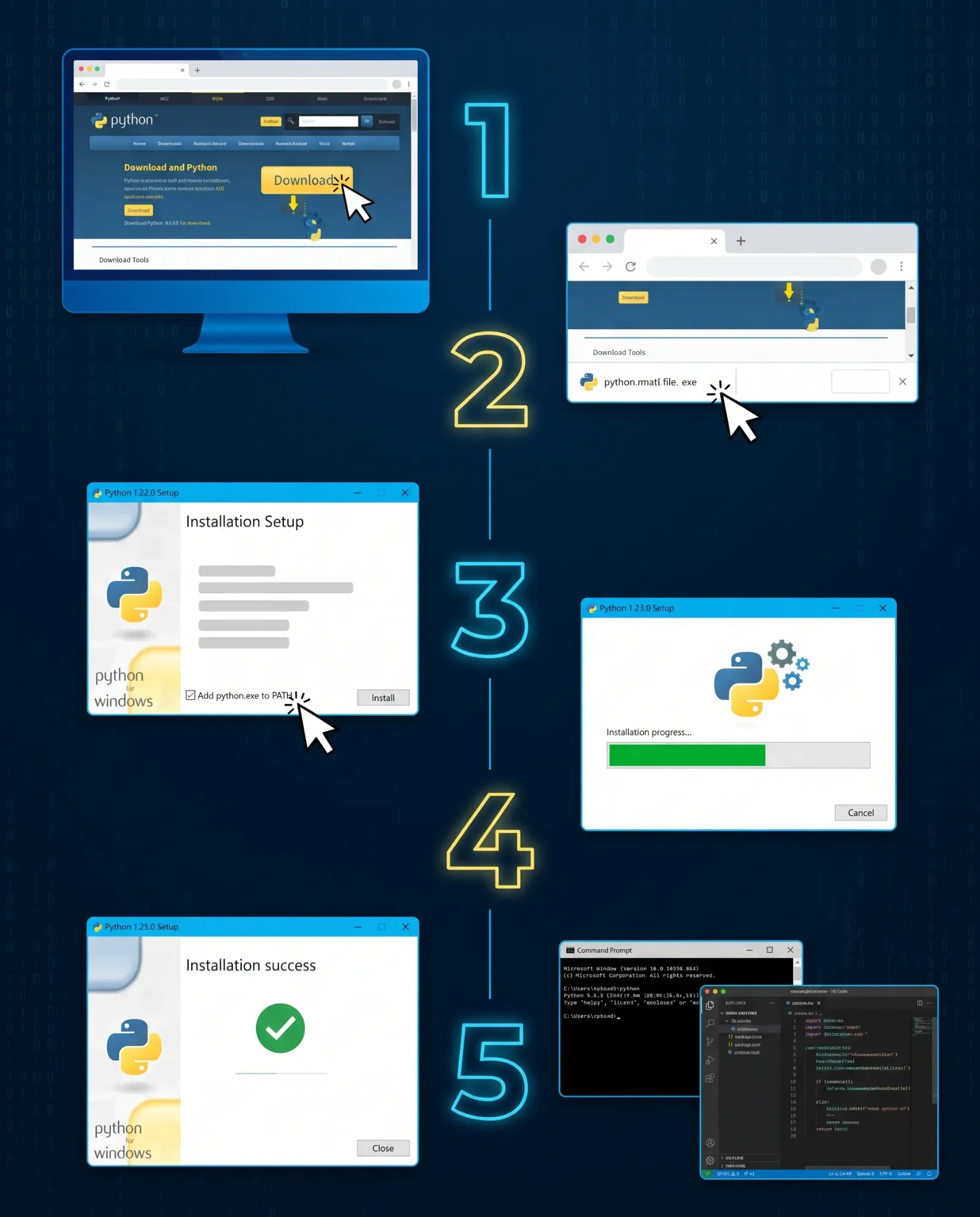
The installation process on Windows takes only a few minutes, but you need to pay attention to one essential step to avoid command prompt issues later.
Installation Steps
- Open the installation file you downloaded (ends with the
.exeextension). - The main wizard interface will appear with two options: Quick default installation (Install Now) or Custom installation (Customize Installation).
- For beginners, it is recommended to choose Install Now because it installs the built-in standard libraries, the famous
pippackage manager, and the lightweight IDLE environment.
Configuring Installation Settings (The Essential PATH Step)
At the bottom of the first screen of the installer, you will find an unchecked box labeled: "Add python.exe to PATH". You must enable this option by checking it before clicking Install Now; this allows the Windows system to recognize Python commands and the pip tool from within any path in the Terminal without needing to set environment variables manually.
Verifying Successful Installation
After installation finishes and the message "Setup was successful" appears, test the interpreter's operation through the following steps:
- Open the Command Prompt by pressing the
Windows + Rkeys, typingcmd, and then pressing Enter. - Type the following command and press Enter:
python --version - If the version number appears, it means the Python environment is working perfectly.
3. Downloading and Installing Python for Android for Free
Programming does not require owning an expensive computer in the early stages; Android phones provide high flexibility, allowing you to execute and debug code and experiment with algorithms via integrated software packages that work locally without needing an internet connection.
Requirements for Running Python on Android Devices
- Operating System: Android 5.0 (Lollipop) and above; Android 8.0 or newer is preferred to ensure the stability of external library installation via pip.
- Processor (CPU): ARMv7a, ARM64, or x86 architecture.
- Random Access Memory (RAM): 1GB minimum, 2 to 4GB recommended to run scientific libraries and handle large data without sluggishness.
- Storage Space: 150MB for the core app, up to 500MB when downloading plugins and additional Python libraries.
Best Python App for Android: Pydroid 3
The Pydroid 3 - IDE for Python 3 app is considered the most mature integrated development environment for Android users; it features an internal Python interpreter with full support for the pip package manager to install libraries like requests and numpy, and graphics libraries via the Pydroid repository plugin.
Download Link: Download Pydroid 3 from Google Play Store
Steps for Installing and Running Python on Android
- Download and First Setup: Download the app from the Google Play Store, then open it for the first time; the app will extract Python packages and install internal files automatically within seconds.
- Storage Permissions: Grant permission to access internal storage so you can create project folders and save
.pyfiles in a safe place on your phone. - Customize the Editor: The app provides you with top and bottom bars containing important keyboard shortcuts for programming (such as brackets, quotation marks, and Tab indentation). From the Settings menu, you can increase font size and enable the Dark Theme.
- Writing and Running Code: Write the following code inside the editor:
print("Welcome to the world of Python on Android!") - Previewing Output: Tap the yellow circular Play button located at the bottom right of the screen; the Terminal window will open to display the result immediately.
4. Downloading and Installing Python for iPhone and iPad for Free (iOS)
The Apple ecosystem features powerful performance and superior stability when running code interpreters, allowing students and developers to use iPhone and iPad devices as fast and lightweight training platforms for development and testing scripts.
Requirements for Running Python on iOS
- Operating System: iOS 14.0 or iPadOS 14.0 and above for modern devices.
- Compatible Devices: iPhone 6s and later, and all modern iPad Air and iPad Pro models.
- Random Access Memory (RAM): 2GB minimum to ensure the stability of the interactive environment.
- Storage Space: 300 to 600MB depending on the number of additional packages used.
Best Python Apps for iOS: Pyto and Pythonista
The iOS system offers two leading apps:
- Pyto - Python 3 App: An open-source and free option that supports the latest Python versions, provides built-in support for analysis and AI libraries such as
NumPyandPandas, and allows execution in the background. - Pythonista 3 App: A highly professional development environment that enables you to write scripts that interact with phone sensors like the camera and geolocation, and design custom user interfaces using drag-and-drop.
Download Link: Download Pyto from the App Store
Steps for Installing and Running Python on iPhone and iPad
- Download the App: Go to the App Store, search for Pyto, and tap the Get button.
- Linking with iCloud: When you open the app, choose to save projects via iCloud Drive to ensure your code files are synchronized between all your Apple devices automatically and not lost.
- Creating a New Code File: Tap the plus (+) sign at the top of the screen, then choose New Script and name the file, for example,
app.py. - Writing and Testing Code: Write the following line inside the editor area:
print("Welcome to the world of Python on iPhone!") - Execution: Tap the triangle (Play) icon in the top bar to run the code and see the results inside the bottom Console window.
Conclusion: Start Your Programming Journey Now
In the end, the issue of owning a high-spec computer is no longer an obstacle to entering the world of technology; thanks to the abundance of modern tools, downloading and installing Python for PC and smartphones is available for free and accessible to everyone in just a few minutes with straightforward steps, whether you are on Windows, Android, or iOS.
Preparing the working environment is only the first step in a thousand-mile programming journey; real success begins when your fingers start typing commands daily, facing and fixing code errors, and exploring what this wonderful language offers in the fields of artificial intelligence and application building. Choose the platform you have available now, and start applying your first exercise to create your own breakthrough in the developers' world.